
Artistic Photo Styling
We tested and ranked 48 Artistic Photo Styling apps for Mac — updated August 2026.
Every app here was run on our own Apple-silicon Macs and scored on the published rubric — capability, craft, privacy, value. We watch the network while we test. How we rank →
You have a photo that would look better as a watercolor, an oil painting, or a Sunday-comics panel — and you would rather not upload it to a server to find out. The apps in this category use on-device style transfer to repaint your photos as art: impressionist brushstrokes, charcoal sketches, pop-art halftones, cartoon outlines, and dozens of variations in between, all processed on your Mac without sending images anywhere. We evaluated 48 artistic photo-styling apps on the Mac App Store, scoring each on Capability, Craft, Privacy, and Value. The ranked list below spans broad multi-style studios and single-medium specialists — watercolor engines, oil-painting converters, cartoon makers — so you can match the tool to the look you actually want. Every ranked app processes your photos locally; the real differences come down to style breadth, output resolution, manual control, and pricing model.
The ranking — all 48

BeCasso: Photo to Painting App
Digital Masterpieces GmbHThe standout pick in this category: hundreds of fully adjustable artist-inspired styles — watercolor, oil, pop art, cartoon — running entirely on your device with print-grade 64MP output. The combination of style breadth and deep manual control, including custom-preset building, is unmatched among on-device options.
” powerful on-device AI... Everything is processed directly on your device... No internet required; Real-time, on-device processing — test note

Toon Photo Editor: Clip2Comic
Digital Masterpieces GmbHThe most battle-tested app here, with 41,000+ ratings at 4.79, specializing in cartoon, comic-panel, and caricature transforms for both photos and 4K/60fps video — all processed on-device with no uploads.
” Everything is processed directly on your device... No internet required; Real-time, on-device processing — no uploads — test note
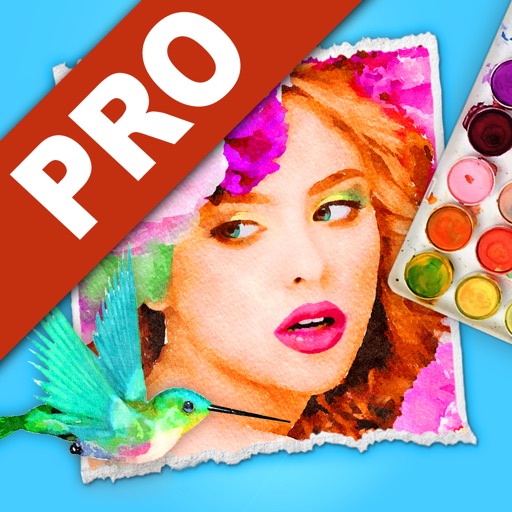
Watercolor Studio
JixiPix, LLCA specialist tool that auto-generates convincing watercolors on-device, then exposes liquid, wet-edge, and layer controls for deep refinement. The realistic fluid simulation and one-time pricing set it apart from subscription-based filter apps.
” uses artificial intelligence and image recognition to render the initial watercolor — test note

Photo to Painting: Oilbrush
Digital Masterpieces GmbHTurns photos and 4K video into convincing oil paintings entirely on-device with no uploads. The 64MP print-grade output, 29 curated styles, and pixel-level retouch tools put it well above simple one-tap filter apps.
” Everything is processed directly on your device for instant results; No internet required; Real-time, on-device processing—no uploads, no waiting, no internet needed — test note

Portrait Painter
JixiPix, LLCAuto-paints any portrait into a gallery-quality oil painting with adjustable brushwork and smooth-skin retouching, then outputs at high resolution. Highly rated at 4.83 across 1,500+ reviews, with everything processed in-app for a one-time $2.99.
” automatically creates a finely painted gallery-style portrait from any image; high-resolution output processed in-app — test note

Painteresque Photo to Sketch
Pranoy ChowdhuryA clean indie app where every transform — painting, charcoal, colored pencil, lithograph — runs on-device with zero ads, trackers, or subscriptions. Privacy-first and genuinely free with just an optional tip jar.
” 'all processing happens locally on your device and your photo is not sent to any server' — test note

Artista Impresso
JixiPix, LLCTurns photos into richly textured Impressionist paintings with Monet and Van Gogh palettes, a detail-ellipse brush for selective refinement, and high-resolution output support. All processing runs in-app with no uploads required.
” One-touch settings automatically transform photos into paintings; Support for high resolution images and output — test note

PhotoArtista - Oil
JixiPix, LLCA veteran, Apple-featured oil-painting app that reliably renders Alla Prima-style oil masterpieces on-device with adjustable brush, stroke, and canvas controls. Its one-time price and long track record make it a dependable no-subscription choice.
” turns a photo into an oil painting masterpiece; Support for High-Resolution Images & Output (on-device processing) — test note

Aquarella
JixiPix, LLCRenders photos into luminous watercolors with distinctive wet-edge blooms and two aquamedia styles, processed entirely in-app. Beautiful single-medium results for anyone who specifically wants the watercolor look.
” render your aquamedia... will deliver a high-end watercolor result; ability to use hi-res images for top-quality results — test note

Simply Watercolor
JixiPix, LLCTurns photos into natural-looking watercolors on-device using a wetness algorithm and image recognition, with 54 artistic finishes to choose from. Rated 4.83 stars, this is the portable companion to the full Watercolor Studio.
” Artificial Intelligence and Image Recognition; on-the-go version of Watercolor Studio Mac app; processing runs locally on the photo — test note














How to choose Artistic Photo Styling for Mac
Style range versus depth. Some apps offer hundreds of looks — paintings, cartoons, sketches, pop art — while others master one medium like watercolor or oil. A broad library suits experimentation; a single-medium specialist usually produces more convincing results in its niche. Output quality. If you plan to print, check the maximum export resolution. Several apps here support 64MP stills or 4K video; others top out at screen-friendly sizes. Print-grade output matters when you want a canvas on the wall rather than a social-media post. Manual control. One-tap filters are quick, but adjustable brushwork, stroke direction, layer blending, and retouch tools let you push a stylization from a fun effect into something that genuinely looks hand-painted. Apps with Apple Pencil support add another dimension of precision. Pricing model. This category splits between one-time purchases (often $3–$30) and free downloads that gate full access behind a recurring subscription. Buy-once apps tend to be single-medium; subscription apps tend to bundle broader style libraries. Decide whether you want one polished tool you own outright or a rotating collection you rent. Privacy baseline. Every ranked app here runs stylization on your device, keeping images on your machine — though some free-tier apps display ads whose network behavior is outside the app's control.
Questions people ask
Can I turn a photo into a painting on my Mac without uploading it to the cloud?
Yes. Every app in this ranking processes stylization on your Mac, iPhone, or iPad using on-device AI or algorithmic rendering — your original photo stays on the device throughout. Several apps explicitly guarantee no server uploads in their App Store descriptions. Processing speed depends on your hardware, so older machines may render high-resolution styles a bit more slowly than newer Apple Silicon Macs.
What kinds of art styles can these apps produce?
The range is wide: oil painting, watercolor, charcoal, pencil sketch, cartoon, comic panel, Impressionist, pop art, and vector-art filters all appear in this list. Some apps specialize in a single medium — Watercolor Studio and Aquarella focus on watercolors, Oilbrush and PhotoArtista - Oil on oil paintings — while multi-style apps like BeCasso and SDFX cover dozens of looks in one package.
Do I need a subscription, or can I buy a photo-to-art app outright?
Both models exist here. JixiPix's apps — Portrait Painter at $2.99, Artista Impresso and Aquarella at $4.99, Watercolor Studio at $29.99 — are one-time purchases with no recurring fees. The Digital Masterpieces apps (BeCasso, Clip2Comic, Oilbrush) are free to download but lock most features behind auto-renewing subscriptions. Painteresque is completely free with only an optional tip jar.