
Nature & Object Identification Scanners
We tested and ranked all 8 Nature & Object Identification Scanners apps for Mac — updated August 2026.
Every app here was run on our own Apple-silicon Macs and scored on the published rubric — capability, craft, privacy, value. We watch the network while we test. How we rank →
You snapped a photo of a strange rock on a trail, a faded care tag in a thrift-store jacket, or a worrying discoloration on a beehive frame — and you want a straight answer, not a page of search results. Nature and object identification scanners do exactly that: point your Mac's camera at something in the physical world, and an on-device model returns a name, properties, or instructions within seconds. This category collects apps that each target a specific identification domain — laundry symbols, Chinese characters, rocks and minerals, bee diseases, hieroglyphs, even the canonical hotdog-or-not — rather than general-purpose image classifiers. We evaluated eight Mac apps across capability, craft, privacy, and value. Most keep their recognition models on your machine, so your photos stay put; a handful likely reach a server for richer reference data. Here is how they compare.
The ranking — all 8

Laundry Symbols: AI Scanner
Johannes BauerA tightly scoped scanner that decodes clothing care labels into plain-language washing instructions using on-device ML, with 25-language support and read-aloud — practical, private, and free.
” "Utilizing an advanced machine learning model" to recognize symbols from the camera; camera-driven recognition runs on-device. — test note

Cjexplorer
Wing Shun Vincent ChuA Chinese-character reference with genuine on-device camera AI: live OCR plus an object-recognition mode that names the matching Chinese word, all processed locally without internet.
” let on-device AI identify the related Chinese word; On-device processing, so lookups stay private and the app does not need internet access — test note

BeeKeeper: Hive Manager
Oleksandr KazinskyiA beekeeping companion whose standout is on-device disease diagnosis — photograph a frame and it flags varroa, foulbrood, nosema, and chalkbrood with no internet connection required.
” BeeKeeper's on-device AI identifies signs of varroa, foulbrood, nosema, chalkbrood, and more in seconds. No internet required. — test note

SeeFood by Aviato
DARRYL JAMES CAULDWELLA deliberate Silicon Valley homage that classifies exactly one thing — hotdog or not hotdog — entirely on-device, with no uploads and no network calls whatsoever.
” uses on-device machine learning; Instant on-device classification — no internet required; All processing happens entirely on your device — test note
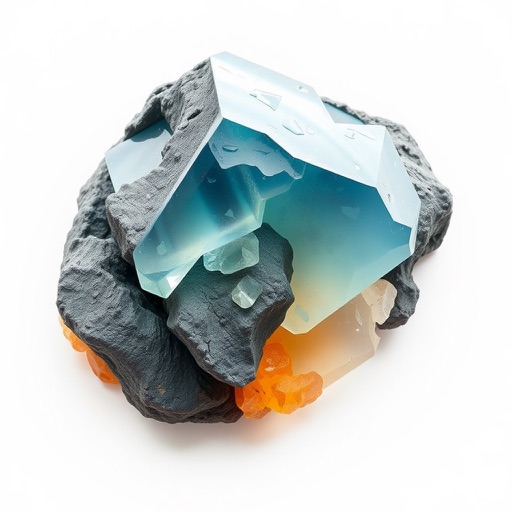
Rock Identifier & Crystal - Ri
Mehmet DemirA rock-and-mineral photo scanner returning names, physical properties, chemical composition, and estimated market value — squarely hitting the point-and-identify use case for geology enthusiasts.
” 'personal geological expert powered by advanced AI'; real-time mineral analysis from camera (recognition feature) — test note

Egyptian-Hieroglyph-AI-Scanner
mohamed mashhourA hieroglyph camera scanner paired with a learning academy, targeting a genuinely fascinating niche — but inflated accuracy claims, likely cloud-dependent translation, and $19.99 with no user reviews undermine confidence.
” ML-enhanced recognition with 95%+ accuracy; Offline hieroglyph database — test note

Hieroglyph AI Scanner
mohamed mashhourA near-duplicate of the same developer's Egyptian scanner — same camera OCR, same learning academy, same $19.99 price tag, same zero ratings — with no clear reason to exist as a separate listing.
” ML-enhanced recognition with 95%+ accuracy; Offline hieroglyph database — test note

Doggy Chat - Talk to Your Dog
James GrotePrimarily a novelty that converts your voice into barks and snaps pet photos, with a breed-identification scanner attached as a minor side feature rather than the core product.
” AI-powered breed scanning; Snap a photo and discover...Identify your dog's likely breed (image analysis on-device implied, not explicitly stated) — test note
Best Free Identification Scanner Apps for Mac
Five of the eight apps in this category are free. Laundry Symbols: AI Scanner leads the pack with on-device ML recognition of care labels, a 4.2 rating, and multilingual support. BeeKeeper: Hive Manager offers genuinely useful disease diagnosis at no cost, though it is brand-new and unrated. SeeFood by Aviato is free but purely a novelty. Rock Identifier & Crystal provides deep reference data for free, yet its processing likely involves a server. Doggy Chat is technically free to download but gates features behind an aggressive weekly subscription. Read the review ↑
How to choose Nature & Object Identification Scanners for Mac
These apps vary enormously in scope and trustworthiness, so the right choice starts with what you actually need identified.
**Match the domain first.** A laundry-symbol decoder and a hieroglyph reader solve entirely different problems. Start by narrowing to the domain — care labels, rocks, characters, bee health — and discard anything outside it. No app here tries to be a universal scanner.
**On-device inference vs. cloud lookups.** Apps such as Laundry Symbols: AI Scanner and BeeKeeper: Hive Manager run recognition locally, meaning photos never leave your Mac. Others, like Rock Identifier & Crystal, return data detailed enough — market values, full chemistry — to suggest server-side processing. If keeping images private matters to you, look for an explicit on-device statement.
**Price model and social proof.** Several scanners are free; two hieroglyph apps each cost $19.99 with zero ratings between them. A steep price paired with no user feedback is a red flag. Rating counts alongside star scores tell you more than either number alone — a 4.2 from 15 reviews beats a 5.0 from one.
**Output depth.** Some apps return a single label; others supply properties, translations, or step-by-step care guides. Decide whether you need a quick name or reference-grade detail, and pick accordingly.
Questions people ask
Is there a free identification scanner app for Mac?
Yes. Laundry Symbols: AI Scanner handles care-label recognition at no cost with on-device ML, and BeeKeeper: Hive Manager offers free disease diagnosis for beekeepers. SeeFood by Aviato and Rock Identifier & Crystal are also free, though the former is a novelty single-classifier and the latter likely uses cloud processing. Paid options range from $6.99 for Cjexplorer to $19.99 for the hieroglyph scanners.
Do these identification apps work without an internet connection?
The top-ranked apps in this category run recognition on your Mac with no connection needed. Laundry Symbols, Cjexplorer, BeeKeeper, and SeeFood all state on-device inference explicitly. Rock Identifier's detailed property and value data suggests server calls behind the scenes. The two hieroglyph scanners bundle offline databases, but their 21-language translation features likely require connectivity.
Which identification scanner keeps my photos most private?
Laundry Symbols, Cjexplorer, BeeKeeper, and SeeFood all score highest for privacy by processing photos on-device. SeeFood is the most absolute — its developer states that all processing happens entirely on your device with no images uploaded. For the others, the core ML model runs locally while optional features like bloom forecasting or cloud-enriched data may still phone home.